Odoo 19.0
 Website
 eCommerce
Website
eCommerce
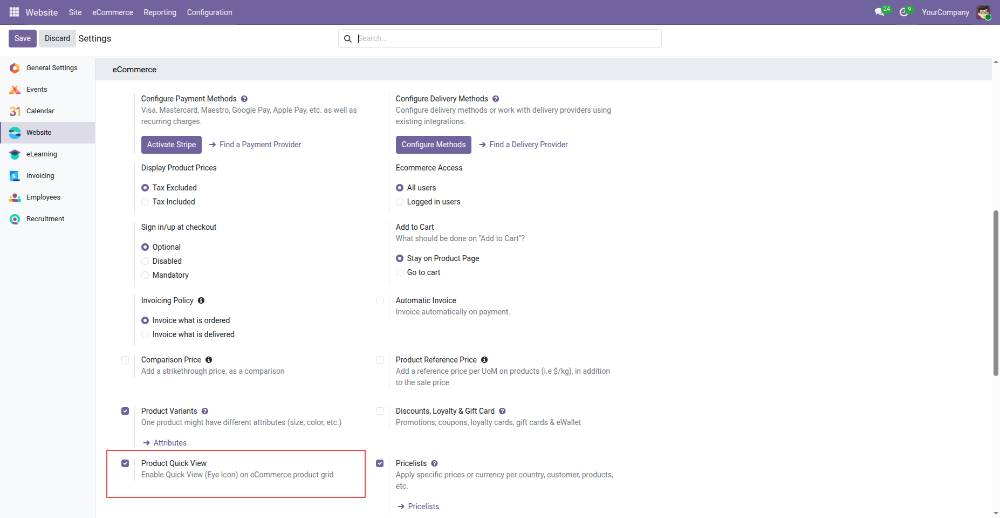
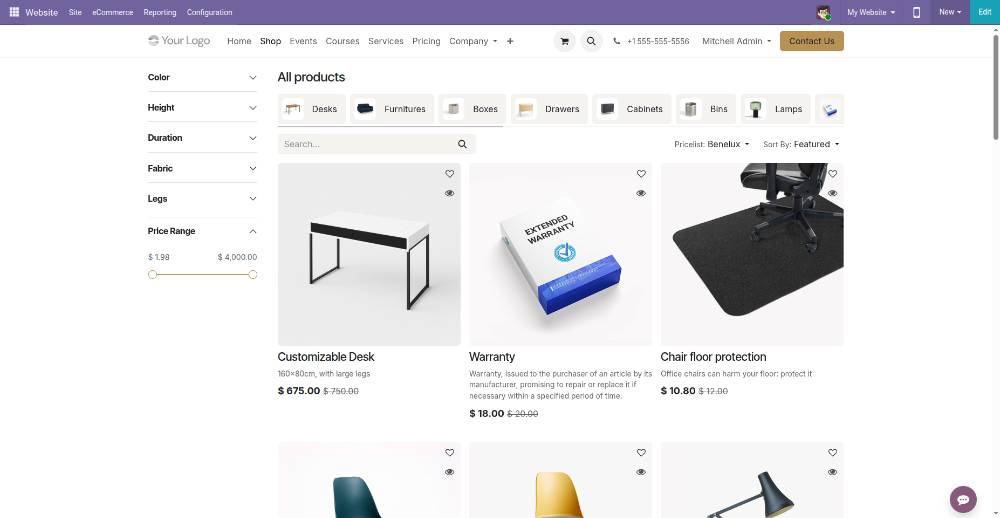
This module introduces a configuration-based Quick View feature for the eCommerce shop page.
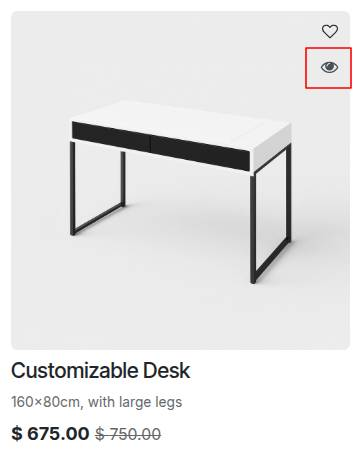
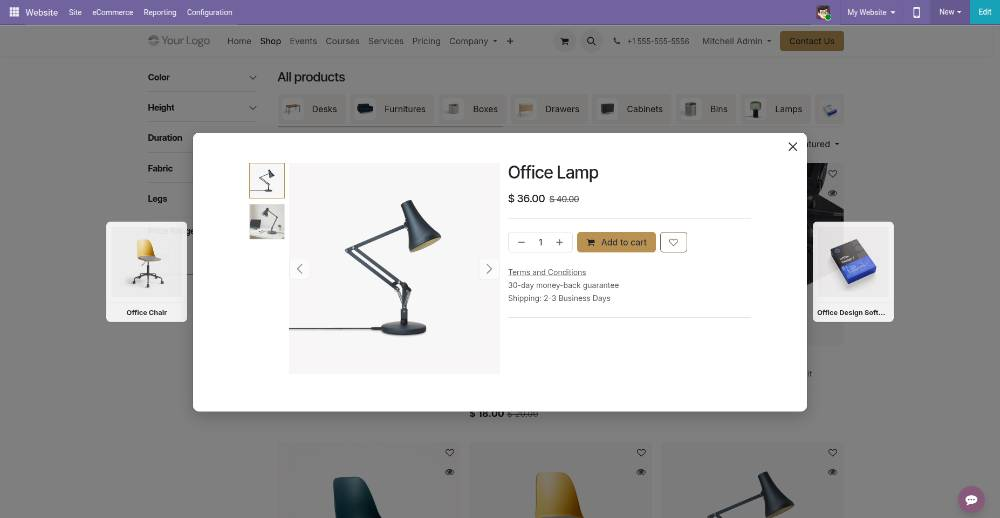
Once enabled from the backend settings, it displays an eye icon directly below the wishlist button on every product card.
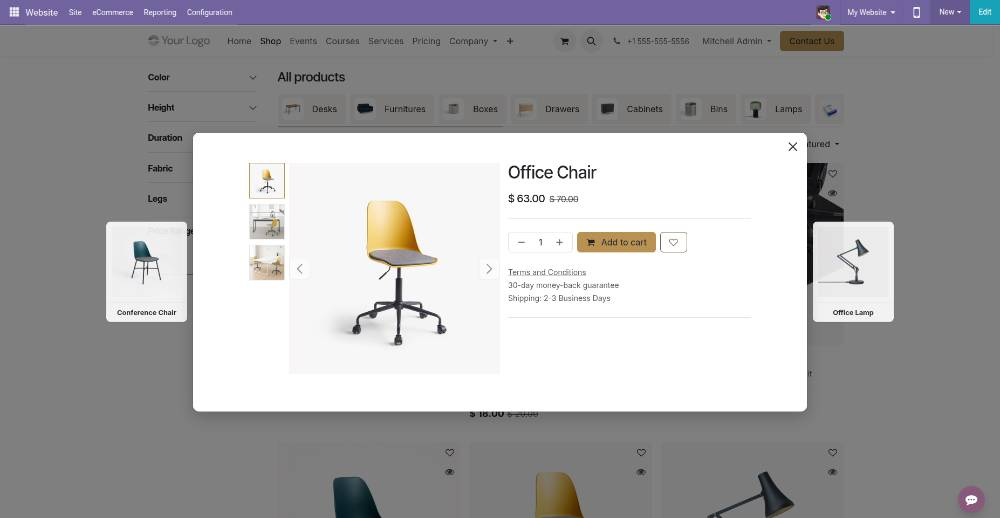
Clicking this icon opens an interactive popup where customers can quickly view product details and add items directly to their cart.
Additionally, users can easily switch between different products without closing the popup by using the left and right navigation buttons on the sides.