Odoo 19.0
 Discuss
Discuss
The Problem I Solved
What Does This Module Contain
Key Features & How They Work
- Smart Date Filters
- Multiple User Selection (Author Filter)
- Dynamic File Type Filter
- The "Has Attachment" Toggle (📎)
- Starred Messages Toggle (⭐)
A. Smart Date Filters
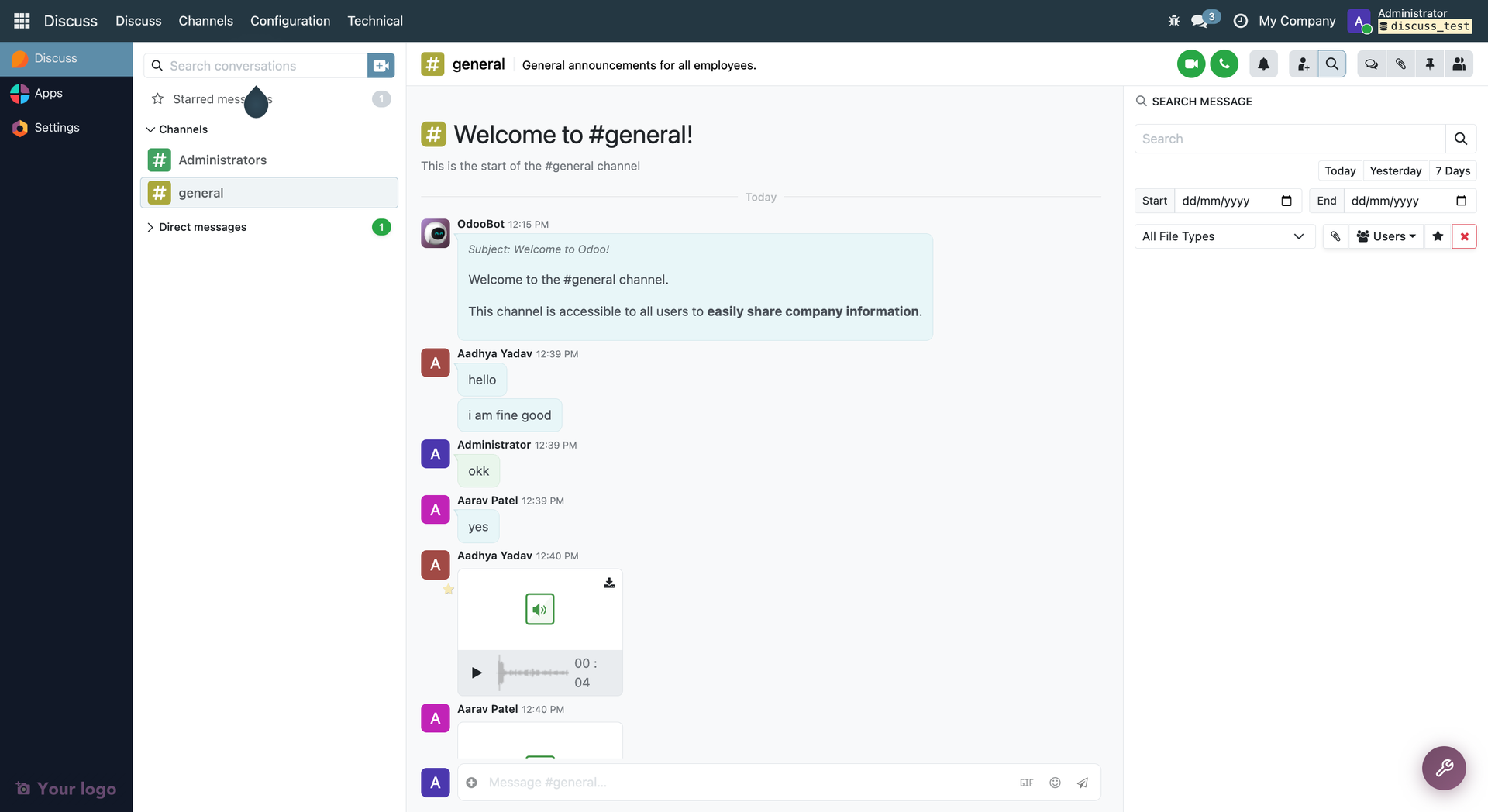
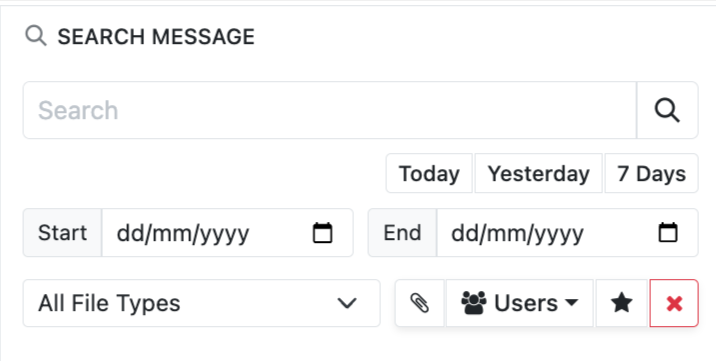
- How it works: Instead of scrolling endlessly, users can select a 'Start Date' and 'End Date' to find messages sent within a specific timeframe.
- Quick Buttons: To make it even faster, I added quick buttons: Today, Yesterday, and 7 Days. Clicking these will automatically fill in the dates and search instantly.
B. Multiple User Selection (Author Filter)
- How it works: I replaced the basic dropdown with a smart checkbox list.
- Users can open the dropdown and tick multiple people at once (e.g., Amul AND Aarav). The search will instantly filter the chat and show only the messages sent by those selected people.
C. Dynamic File Type Filter
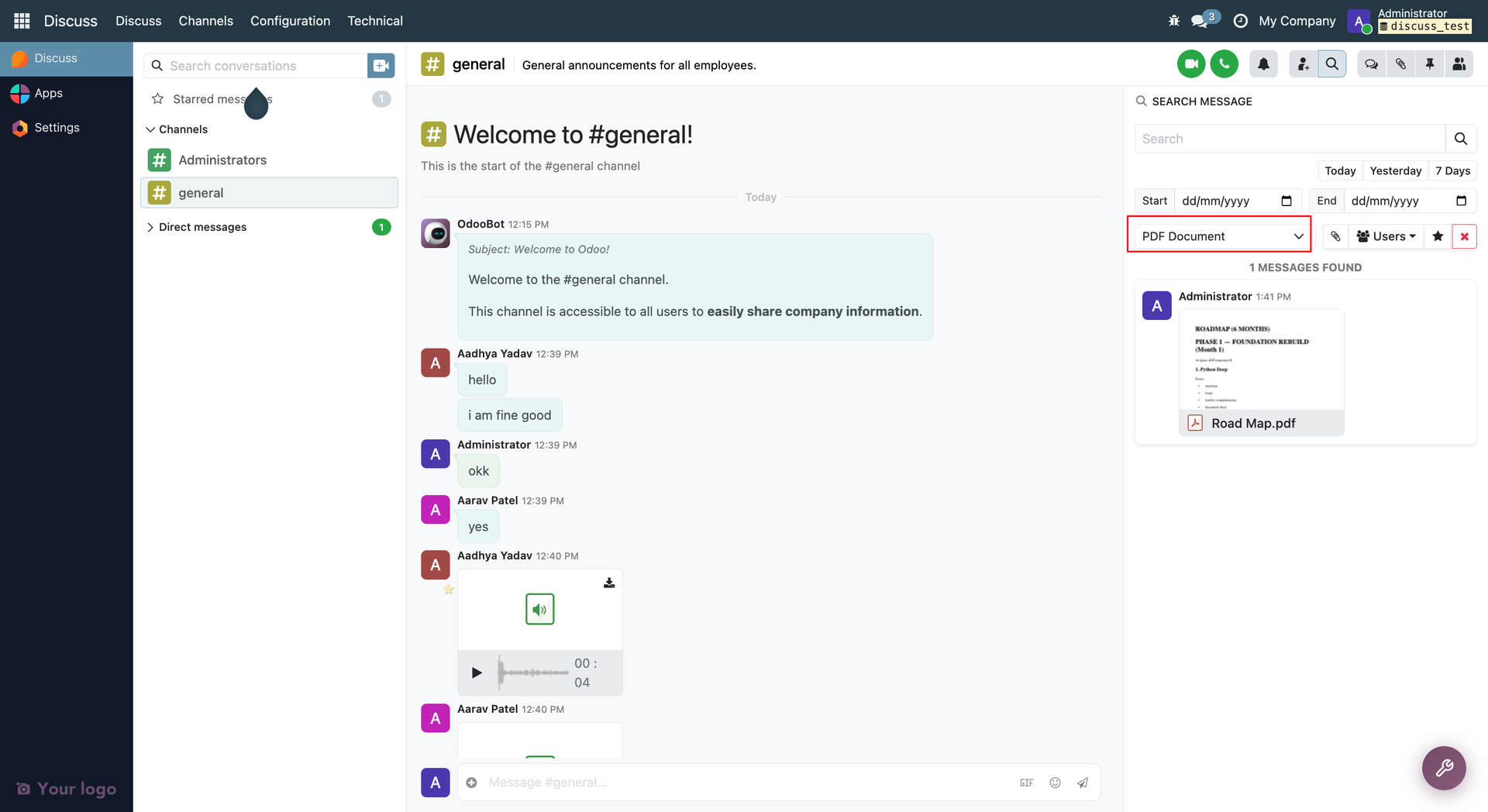
- How it works: Users can filter messages based on the type of document attached (e.g., PDF, JPEG, Excel, MP4).
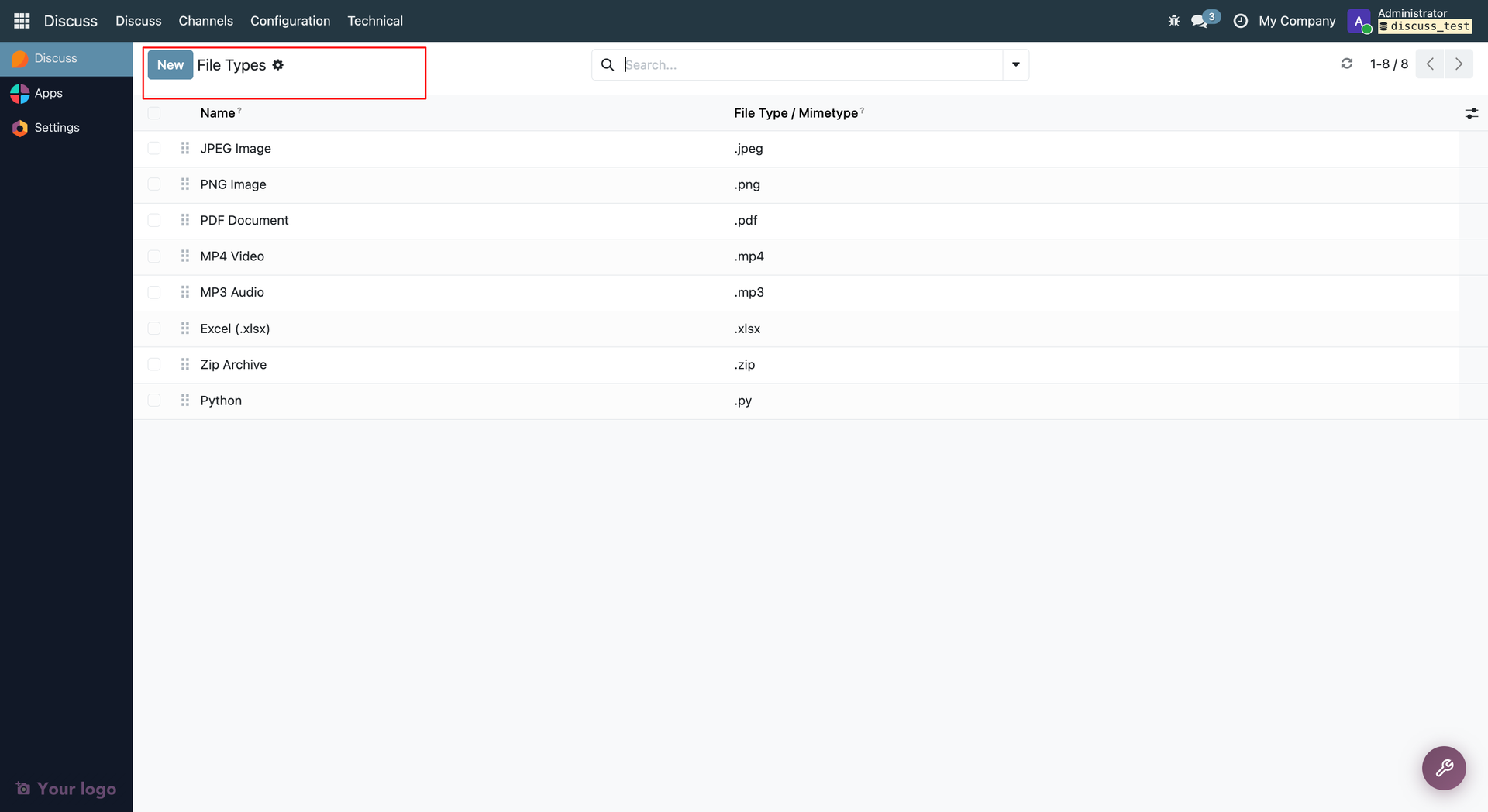
- The Best Part: The options in this dropdown are completely dynamic. As an Admin, you can go to Discuss > Configuration > File Types and add or remove file extensions. The search dropdown will update automatically in real-time based on what you configure there.
D. The "Has Attachment" Toggle (📎)
- How it works: Sometimes you don't know if the file was a PDF or an Image; you just know there was a file. By clicking the paperclip icon, the system will filter out all plain text messages and only show messages that have an attachment.
E. Starred Messages Toggle (⭐)
- How it works: A quick one-click button to filter messages that the current user has marked as "Starred/Favorite" within that chat.
The Workflow (How a user uses it)
- A user opens a Discuss channel (e.g., #general).
- They click the search bar. Our Advanced Search Panel drops down.
- They want to find an Excel sheet sent by Amul this week.
- They click 7 Days.
- They open the Users dropdown and tick Amul Babariya.
- They select Excel (.xlsx) from the File Type dropdown.
- Instantly, the chat filters down to show exactly what they are looking for!
- Once done, they just click the Red Cross (Clear) button, and the chat goes back to normal.
Why this is great for the client: It saves a massive amount of time. It takes the regular Odoo chat and gives it a powerful, enterprise-grade search engine without making the screen look complicated. Everything is neatly packed inside a clean, modern UI box!